
IDK how else to describe it.
About a week ago I noticed one of my ZigBee air purifier fans turning on and off. Odd but I ascribed it to maybe some sort of smart mechanism to avoid burning out the motor. Perhaps if there’s not enough airflow it pauses and tries again? It could be a thing. So I ordered new filters and unplugged it.
Shortly thereafter I noticed my other ZigBee air purifier turning on and off. Okay… Makes sense… Filters are about the same age… Let’s just wait for the shipment to come in. Unplugged.
Almost immediately after unplugging I noticed ANOTHER ZigBee device turning on and off, but this time it was a smart power outlet! No filters on that motherfucker, and that’s when it dawned on me that this could somehow be a command and not just random.
Long ago I had a ZigBee outlet set up to turn on/off on a pattern over and over throughout the day.
I realized that these devices seem to all be following that pattern, which is strange because that automation ran for months but has been disabled since March of last year.
Now as far as I can tell this means one of three things:
-
Home Assistant has gone rogue and is sending dormant/backlogged commands to unrelated devices
-
A device on my ZigBee network had held those commands for passing them along, forgot about it for 11 months, then forwarded them in the order received to a semi-random device in the network.
-
Aliens? Ghosts? Somebody trying to communicate through the multiverse?
Starting with the first 2 assumptions, is anyone aware of a means to listening into the ZigBee network to see which device, bridge or middleman, is sending these on/off commands?
Is there a way to tell all devices in the network to flush their command history? Should I reset the ZigBee network? Reset each individual device?
I’m one ADHD hyperfocus away from rebuilding my entire HA system and all automations from scratch.
You must log in or # to comment.
I had a similar issue in the past. I’ve got a bunch of Ikea switches and Aqara Smart Plugs. At some point, using the switches also switched random plugs on and off without any automation set up for it. I wasn’t able to figure anything out through the logs and it drove me mad for weeks until I finally read that it’s due to a bug in the firmware of the plugs and Aqare couldn’t be bothered to fix it. I had to manually downgrade the firmware in order to get everything working again.
What you describe sounds very similar to what I experienced. Maybe have a look if that kind of bug was introduced recently for your devices too.
Maybe it was a Zigbee binding? Sometimes when pairing new devices I’ve noticed they’ve bound to coordinator, which resulted in similar behaviour. After I’ve cleared it in Z2M it was fine
I thought that too at first but this wasn’t the case. I bug is, that if a switch-event of these specific switches are routed through one of those plugs, the plug reacts to it, even though it is not addressed to it. So the behavior also changes over time, depending on where the events where are routed. They switched the correct target lamp as expected, but also random plugs on the way.
Then remove the binding of the device that is triggering it to the coordinator
Good note! I’ll start digging into firmware posts! The tricky thing here is the commands seem to be echoes of a script that hasn’t run in 11 months.
I had this happen once and it was cheap lights that got confused and suddenly started reacting to commands for other addresses. Took me quite a while to figure this out before just throwing them all out.
Starting with the first 2 assumptions, is anyone aware of a means to listening into the ZigBee network to see which device, bridge or middleman, is sending these on/off commands?
zigbee2mqtt has a guide for sniffing Zigbee traffic here: https://www.zigbee2mqtt.io/advanced/zigbee/04_sniff_zigbee_traffic.html
zigbee2mqtt
Sigh… Unfortunately I signed on as a ZHA man when I did my initial setup…
You can still follow that guide if you pick up a cheap Zigbee dongle and connect it to your PC.
You just have to know your network key for decryption and you’re good to go.
Ahh awesome, I’ll give it a spin as soon as my new dongle arrives!
Make sure it has one of the supported chips on that page or it won’t work without extra work.
If not, CC2531 adapters can be bought for very cheap and are perfectly adequate for sniffing Zigbee traffic.
Looks like my current dongle is compatible so when the new ZBT-2 gets here, I’ll swap it in as the host controller and repurpose my old controller.
Can you not see in the activity log, either of HA itself or of the device, what is causing the action to be carried out? You could go to the device and check which automations the device is part of and check their traces as well, if you have recollection of when this last happened.
If it is a backlog of stuff, maybe restart Home Assistant, or better yet, the server itself. But it shouldn’t be sending those to other devices.
What’s also possible is that something is up with the electricity in your home. Maybe these devices are getting power surges or cutouts and defaulting to whatever you have that Power On setting set to. I think the default setting is that devices like that go back on after power loss.
Last thing I can think of is an errant Zigbee controller. Maybe it’s picking up Bluetooth or WoFi signal interference and sending garbled messages to anything that’ll listen.
Or someone outside is trying to mess with you but without physical access to your Zigbee hub this is next to impossible.
Can you not see in the activity log, either of HA itself or of the device, what is causing the action to be carried out?
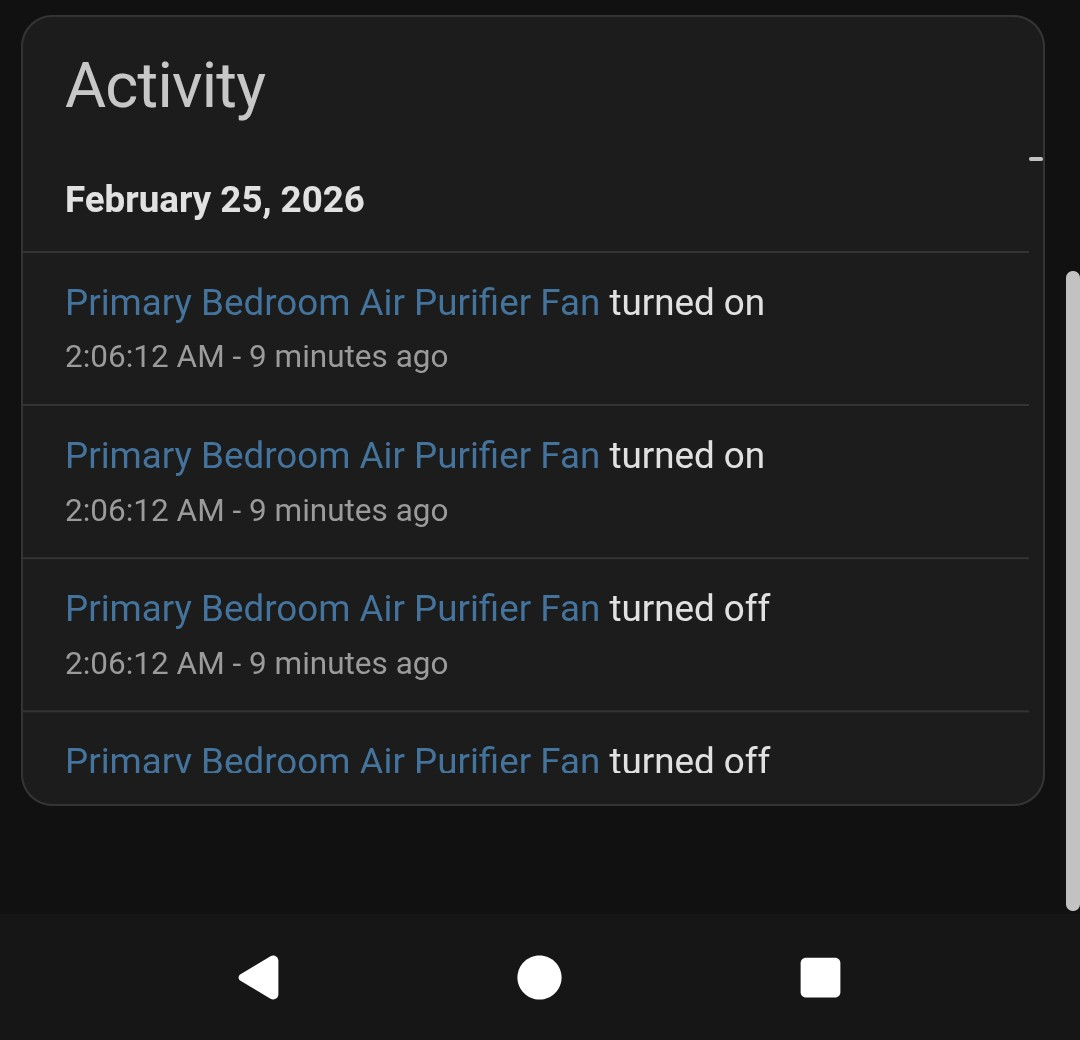
Normally, yes, it would say what automation is triggering it, in this case it does not seem to be triggered by an automation.
The devices being rebooted are not associated with any on/off automations, but the device that used to receive those commands is no longer connected.
If it is a backlog of stuff, maybe restart Home Assistant, or better yet, the server itself
Done and done. FWIW, the on/off behavior seemed to continue during the reboot indicating it may be lurking in the ZigBee network?
What’s also possible is that something is up with the electricity in your home. Maybe these devices are getting power surges or cutouts and defaulting to whatever you have that Power On setting set to.
It’s too organized for that, and status is toggling off/on not unknown/on. Also the impacted devices are on separate circuits and seem to be impacted one-at-a-time.
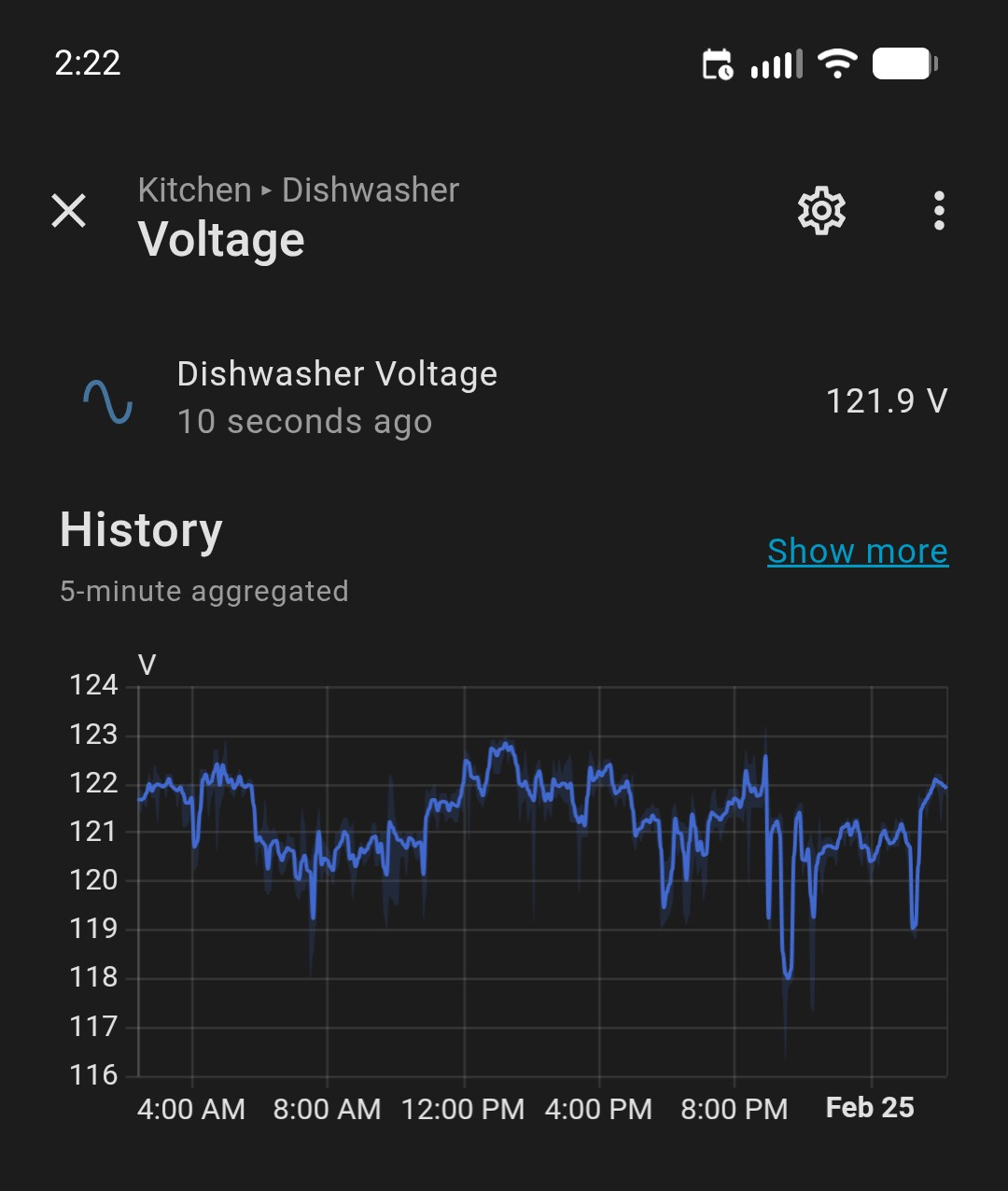
Also also, voltage seems generally stable:
Last thing I can think of is an errant Zigbee controller. Maybe it’s picking up Bluetooth or WoFi signal interference and sending garbled messages to anything that’ll listen.
I’m generally in agreement, what’s suspicious is it is very closely following the on/off pattern of a previous, long disabled, script (on/off/on/off in quick succession followed by ~1h on, then repeat).
What I don’t know is how to find the errant device - if its truly the controller, I have a replacement on order (guess I gotta upgrade to the ZBT-2… twist my arm…). If it’s a relay somewhere in the chain thinking it’s passing along useful info then I have to reset everthing.
Normally, yes, it would say what automation is triggering it, in this case it does not seem to be triggered by an automation.
These are just the reports coming back from the network. So the device reported it turned on/off.
I have these on my individual devices when the group turns on/off.
So the group gets the correct history entry for which automation/user triggered it but all the members of the group just report “Turned on/off”.
Maybe try toggling all your Zigbee groups on and off and see if your misbehaving devices react?
Check Zigbee bindings. Sometimes a newly paired device binds itself to something